
NFC & tech
NFC Event Wristbands: A Plain-English Guide for Organizers
Learn how NFC event wristbands open photo-upload or event pages, where the chip sits, and why check-in requires a separate compatible system.
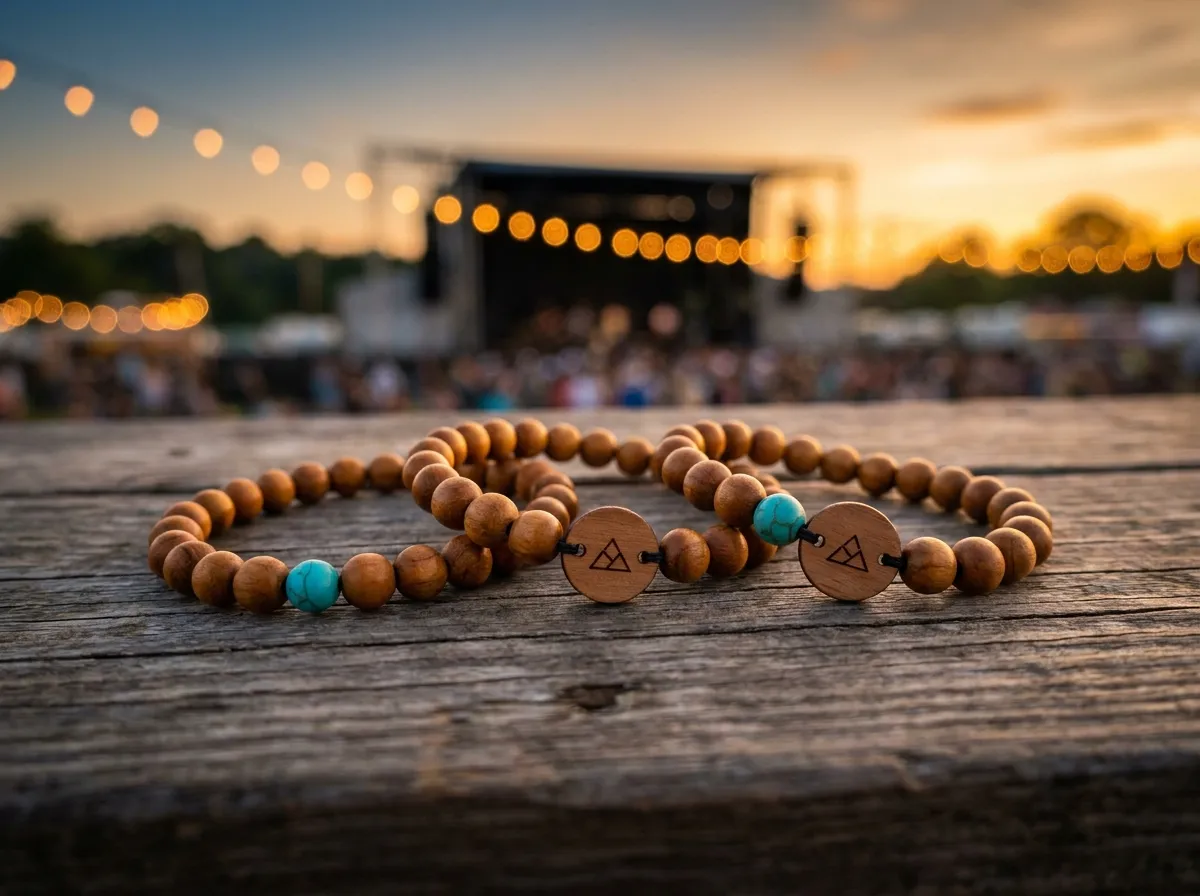
NFC event wristbands contain a passive chip that a compatible phone can read at close range. A programmed web link opens an upload page or event page, sometimes after the guest taps a notification. Guests then select and upload photos themselves. Check-in is a separate use that needs a compatible system and credential setup. This guide explains the hardware and the planning decisions behind it.
What is an NFC event wristband, exactly?
NFC stands for Near Field Communication, a short-range radio technology. In a WearableEvents bead bracelet, the passive chip is sealed inside a charm bead beside the separate engraved wood tag. It needs no battery and holds encoded data, such as a web address. A compatible phone reads that address and offers to open it; the website supplies the experience beyond the link.
A few things worth knowing up front:
- It works with most modern phones. iPhones and Android phones made in the last several years read NFC natively, usually with nothing more than a tap and a tap-to-confirm.
- There’s always a backup. A printed QR code on the tag covers older phones or anyone who’d rather scan. Tap or scan, the same page opens.
- Plan the destination for future use. Content at a stable web address can be updated without changing the chip. Do not assume a delivered chip can be rewritten: that depends on the chip, locking and agreed encoding.
Our bands take this a step further by building the chip into something people actually want to keep: real wood, stone, or porcelain beads with a laser-engraved wood tag, rather than a strip of vinyl that gets cut off and tossed at the exit.
How do NFC wristbands work at a live event?
In practice, the flow is refreshingly boring, which is the point. Each attendee gets a band. They tap it to their phone, and a page opens that greets them by name and invites them to add their photos. Every shot they upload flows into one live album that you, the organizer, own and keep. You can build and preview a band in the 3D configurator to see exactly how the bead band and engraved tag come together before you order.
Behind that simple tap, you get real control:
- Export the album. Use the download to prepare recap or sponsor materials, after confirming permission for the intended reuse. See building an event album for sponsors.
- You own the album. Export it for recap reels, sponsor decks, or next year’s promo. (More on that in our guide to building an event album sponsors actually want.)
- An agreed web destination. The NFC link can open an album or event page with the agenda, map and sponsors. Check-in or access requires a separate compatible system.
The best event tech disappears. Guests don’t think about the chip — they just tap, share a photo, and get back to the party.
If photo collection is your main goal, our plain-English guide to collecting event photos walks through the full setup, from welcome page to final export.
NFC vs. RFID vs. QR codes — which one do I need?
People mix these up constantly, so here’s the short version. NFC is a flavor of RFID tuned for very short range and phone reads — it’s what makes “tap your own phone, no extra hardware” possible. Broader RFID often means longer-range scanning with dedicated readers, which is great for fast gate entry at large festivals but requires equipment you set up. A QR code is just a printed link you scan with a camera; it’s cheap and universal but lives on paper and offers nothing tappable.
For most organizers, the honest answer is that you want NFC with a QR fallback, which is exactly how our bands ship. You get the magic tap for the majority of guests and a foolproof scan for everyone else. If you’re weighing the trade-offs in detail, see RFID vs. NFC for events and our breakdown of the QR photo wall versus tap-to-share.
When are NFC event wristbands worth it?
They shine anywhere you want a keepsake and a clean way to capture the day from the guests’ own phones. A few fits we see often:
- Conferences and summits, where the band links to the agenda, while check-in needs a separate compatible system.
- Galas and fundraisers, where an engraved band is a tasteful favor that also feeds a sponsor-ready album.
- Festivals and multi-day events, where one durable band beats a stack of disposable paper wristbands.
- Brand activations, where the tap opens a custom landing experience and lets guests choose and upload their photos.
They’re less essential for tiny, casual gatherings where a shared link in a group chat would do. But once you’re handing something to dozens or hundreds of people and you want the photos, the data, or the brand moment to stick, the math changes quickly. Bands are made to order from just five, and pricing is consultative — most organizers order one band per attendee. You can check our pricing approach or browse all the ways teams use them to find your scenario.
Running an agency or experiential team that wants to put your own brand on the whole experience? That’s exactly what white-label NFC wristbands are built for. And if you’re planning a wedding rather than a corporate event, our sister brand Wearable Wedding makes the same engraved bands tuned for the couple’s day.
The takeaway
An NFC event wristband pairs a physical keepsake with a web link. Guests can open an event page or choose photos to upload, while check-in requires a separately supplied compatible system. A printed QR fallback offers another route to the page. Design your band in the configurator or read the FAQ before ordering.
