
NFC & tech
Event Check-In With NFC Wristbands: Faster Lines, Happier Guests
NFC event check-in requires compatible credentials, readers and registration software. Learn what to verify before adding it to a wristband program.
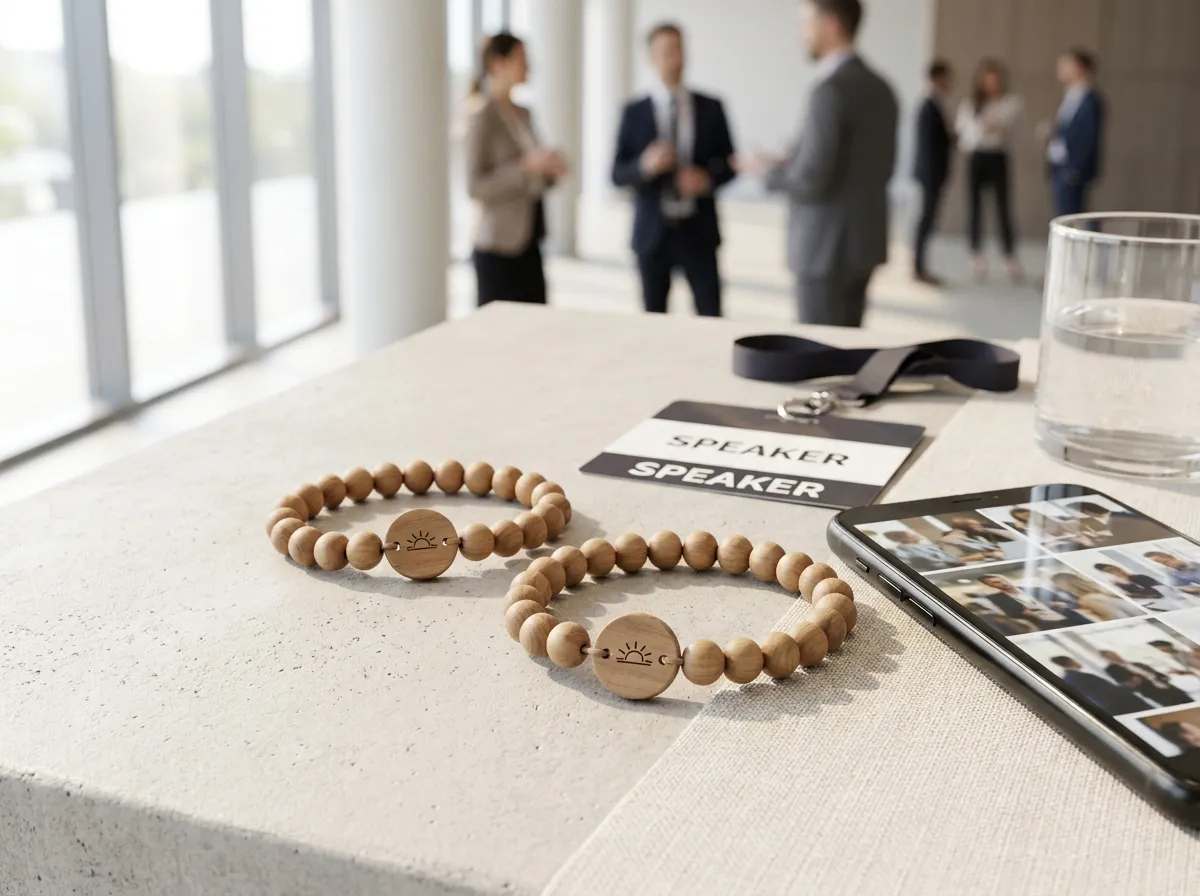
NFC event check-in uses a wristband or other credential with compatible readers and registration software to verify admission. The system must associate the credential with the attendee and entry rules. WearableEvents photo-sharing bracelets open web links; check-in is a separate integration to review before ordering. Entry speed depends on the full setup and should be tested.
That speed matters more than it sounds. The first thing every attendee experiences at your event is the entrance, and a slow, confused check-in sets a sour tone before anyone has even walked in. A tap chip flips that: arrival becomes the smoothest part of the day.
What is NFC check-in, in plain terms?
NFC stands for near-field communication. In a check-in system, a compatible reader reads a credential and the registration software checks the attendee record and entry permissions. A web address on a photo-sharing bracelet does not by itself identify admission rights or record attendance.
A passive NFC chip needs no charging, while the readers and registration software have their own device and application requirements. The chip is passive, meaning it draws its tiny bit of power from the reader itself during the tap. For a deeper look at how the underlying tech compares, see our guide on RFID vs NFC for events.
A few things make tap check-in genuinely faster than the alternatives:
- No screen to find or brighten. Guests don’t dig through their inbox or fight glare on a phone.
- No alignment fuss. A QR scan needs the code framed just right; a tap just needs proximity.
- Re-entry depends on the system. Confirm its re-entry rules and test the credential before the event.
The goal isn’t to make check-in flashy. It’s to make it disappear, so the first thing a guest feels is “I’m in,” not “where’s my ticket?”
How much faster is it, really?
In practice, the difference shows up most at the moments that hurt: doors opening, a keynote letting out, a lunch rush ending. QR scanning is reliable but fiddly — it depends on screen brightness, camera focus, and the guest holding still. A tap is a single physical gesture that works the same in bright sun or a dim ballroom.
The honest framing: any single check-in is quick. What changes with NFC is the aggregate. When you multiply a few saved seconds across hundreds or thousands of arrivals clustered into a short window, you go from a backed-up entrance to a steady, calm flow. Many organizers find that the staff freed up from troubleshooting scans can be redeployed to welcoming, directing, and answering questions instead.
This is exactly why tap bands are popular for conferences and large festivals, where entry volume spikes hard and the cost of a slow door is a visibly grumpy crowd.
Can one wristband do more than check-in?
A bracelet may serve more than one purpose when its chip, encoding and readers are compatible with the chosen platform. Confirm that separately; a standard URL bracelet provides a web destination, not automatic admission.
A WearableEvents bracelet can link to a web page. Review these uses separately:
- Access / check-in — requires a separate compatible platform, credential allocation and suitable readers.
- A branded event page — agenda, venue map, sponsors, and FAQs, all from one tap.
- A live photo album — guests tap to open their own upload page (it greets them by name), and every uploaded photo flows into one shared album you keep.
That last one turns a check-in tool into a memory-maker. Every band is a hidden tap-to-share chip plus a laser-engraved wood tag and real wood, stone, or porcelain beads — so it provides a photo-sharing prompt and doubles as a keepsake guests actually want to take home. There’s a printed QR code as a fallback, too, so nobody is ever locked out by a phone that won’t cooperate.
You decide what each photo can do: public, group-only, or organizer-only, all enforced on the server side rather than left to chance. The organizer owns and exports the full album afterward for recaps and sponsor reports. If you want to see how that plays out for fundraising and brand work, our pieces on collecting event photos and photo sharing at conferences walk through it.
What do organizers need to set up?
First choose the registration platform and confirm its supported chips, encoding, readers, attendee allocation, re-entry rules and on-site support. A phone or tablet can act as a reader only if it supports the required NFC operations and software. The bracelets are made to order from five; see the pricing page, then review compatibility before confirming an admission program.
Designing the band itself is the fun part. You pick the bead materials, the engraving on the wood tag, and how it ties to your event page using the 3D configurator — so the thing on every guest’s wrist looks like your event, not a generic plastic strap.
Test the complete reader and credential setup before event day. Agencies and promotional-products distributors can request white-label bracelets and albums; check-in integrations remain a separate requirement. The FAQ covers photo sharing and ordering.
The takeaway
NFC check-in can be useful when compatible credentials, readers and registration software are configured and tested together. A WearableEvents bracelet is also a keepsake and a route to an event page or photo album. Review admission requirements separately rather than assuming the photo link validates entry.
If you’re weighing tap bands for an upcoming event, start by designing one in the 3D configurator and see how it’d look on the wrist. Planning a wedding instead of a corporate event? Our sister brand Wearable Wedding does the same thing for the aisle. And if you’re still deciding which side of the line your event falls on, our take on wedding vs. event bands clears it up.
